

Hello everyone
In this article, I’ll share my approach to solving the Web Fuzzing Skill Assessment on Hack The Box, sharing the methodology and tools I used along the way.
What is web fuzzing?#
Web fuzzing is an automated security testing technique that sends unexpected, invalid, or random inputs to a web application to uncover vulnerabilities and abnormal behaviors.
To see all my notes of this module → Check This
The assessment requires us to discover the target and this will lead us to the flag, so let’s go
The first thing I thought about is to fuzz the directories of the target so I used ffuf
Press enter or click to view image in full size
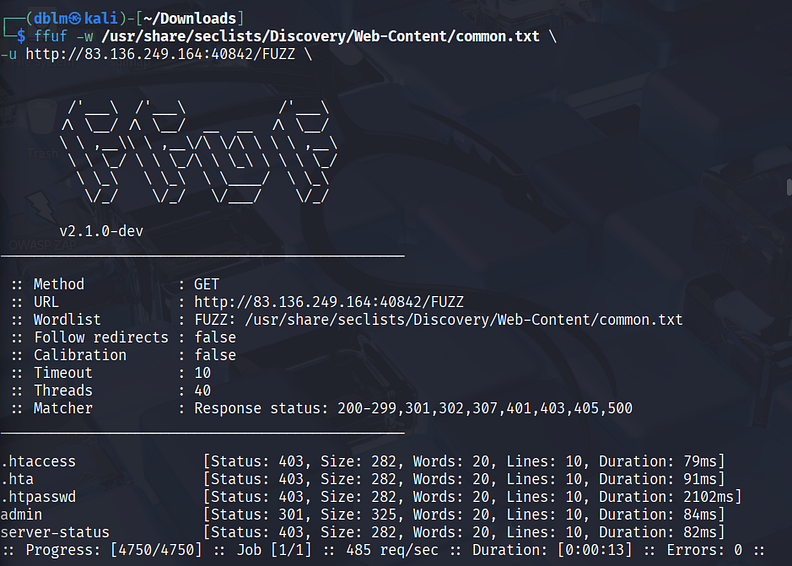
Some of the discovered files returned a 403 Forbidden status code, which means access to their content is not allowed.
I used the same fuzzing method on the /admin directory to look for hidden files. The scan revealed the same files, plus an additional one called index.php.
When I tried to access index.php, the server responded with “Access Denied”, confirming that the admin directory is protected and cannot be accessed directly.
Press enter or click to view image in full size

Then, our approach was missing something — maybe some files or directories — so I went back to fuzzing again using the --recursion flag to try all possibilities inside each directory it finds, and the -e option to test all the extensions I specified.
Press enter or click to view image in full size
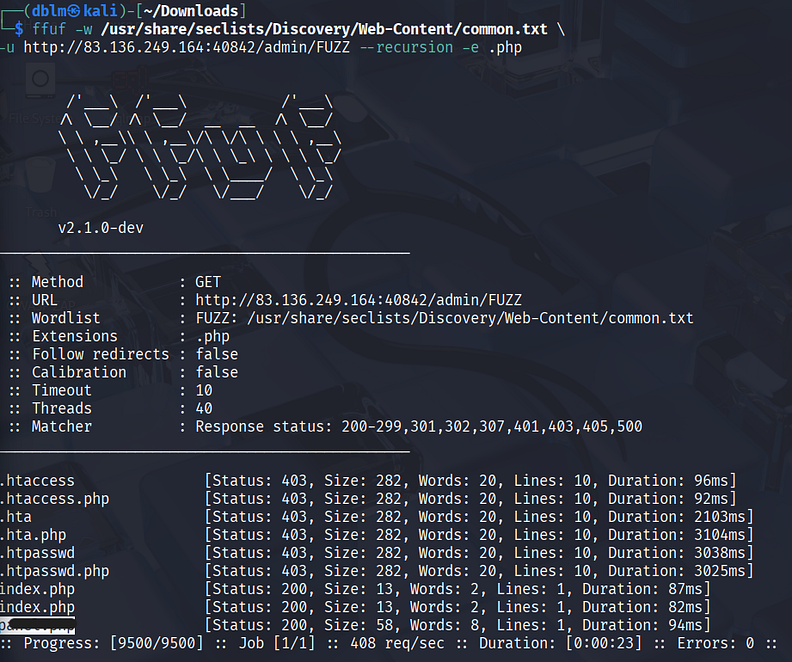
We got an interesting file so let’s send a request and see the behavior

Ohh! It hints that it uses a parameter in the URL, so I tried to add ?accessID=
and tested some strings and numbers to specify the type of data sent in
the URL. Unfortunately, all of them returned the same response: “Invalid parameter”. So let’s fuzz again:
Press enter or click to view image in full size
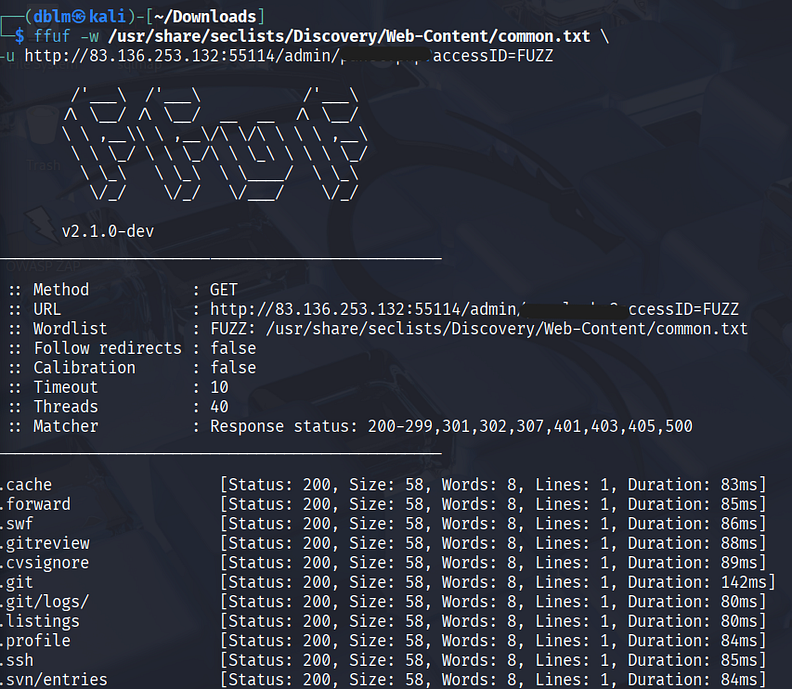
It gave me many files with a 200 status code and a 58-byte size, so I needed to filter them out to catch the real one. For that, I used the -fs flag to filter all responses with the same size.
I got the correct parameter and sent the request:
Press enter or click to view image in full size

The response leads me to fuzz about the **vhosts (**I talked about VHOST in details in the last write-up check it).
Before we start fuzzing we should add the host to the target IP in the hosts file using
sudo nano /etc/hostsThen add :
Press enter or click to view image in full size

Now let’s fuzz the vhosts using the following command:
 ffuf -w /usr/share/seclists/Discovery/Web-Content/common.txt \
-u http://83.136.249.164:40842/ \
-H "Host: FUZZ.{the given host}.htb" \
-mc 200,301,302 -fc 403
fuff replaces the FUZZ with all possibilities in the common.txt file
Press enter or click to view image in full size
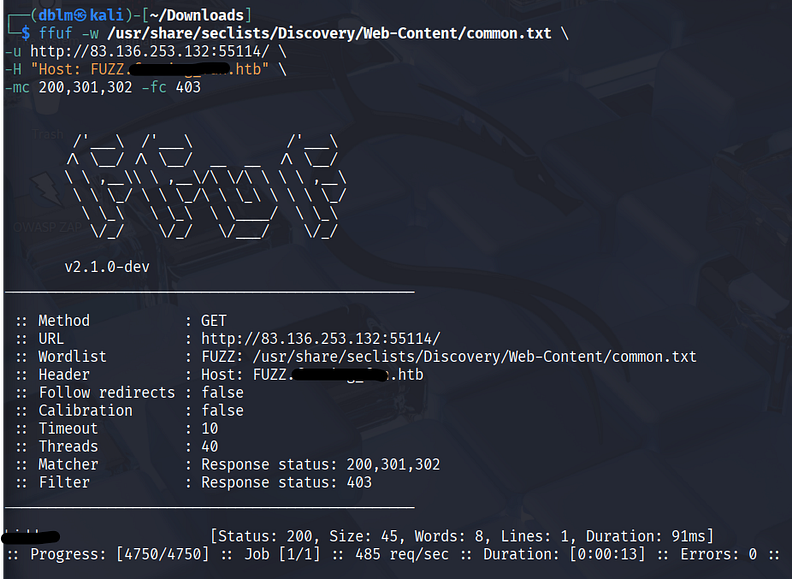
We got a subdomain, let’s send a request and see the result:

I went to the given path which hints me that there is another directory, so I decided to do a recursive fuzzing to reach all directories:
Press enter or click to view image in full size
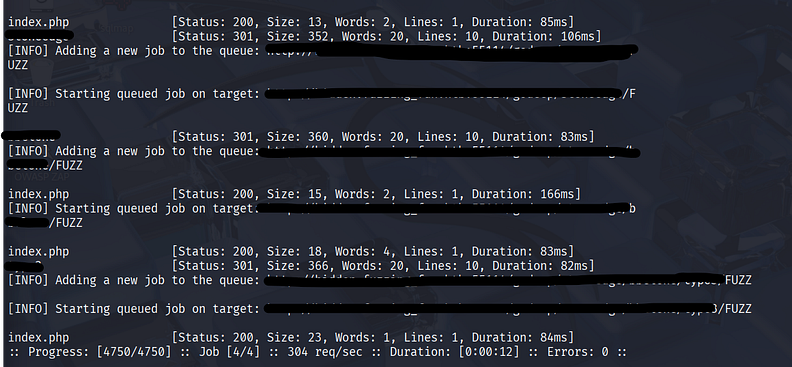
Let’s send a request to the final path we got and see the response:
Press enter or click to view image in full size

There is our flag 👌, see you in a next one.